Európska spoločnosť so sídlom vo Francúzsku


Key features
BitLocker
Disk encryption
- Data protection
- AES 256-bit encryption
- TPM/PIN unlock
Remote Desktop
Remote access
- Native RDP connection
- Access from any device
- File transfer
Hyper-V
Virtualization
- Virtual machines
- Environment isolation
- Testing and development
Advanced security
Enhanced protection
- Windows Defender
- Smart firewall
- Real-time protection
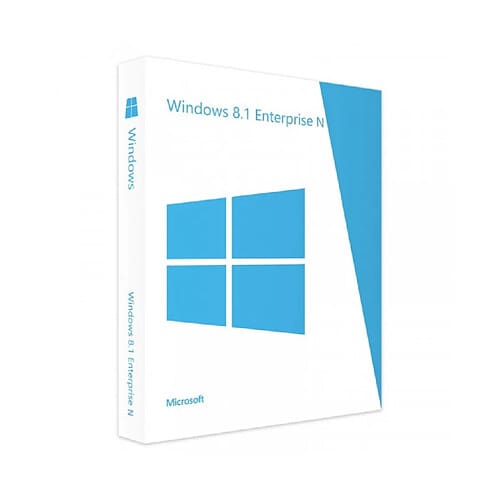
Windows 8.1 Enterprise N
Perpetual license - PC installation - Official Microsoft online activation
Official Microsoft license verified on Microsoft servers.






Why choose Windows 8.1 Enterprise N?
- Maximum security with Credential Guard and Device Guard
- Full control via AppLocker and advanced group policies
- DirectAccess for seamless network access without a VPN
- Centralized large-scale deployment and management
- Perpetual license, a lasting investment
- Microsoft support and guaranteed security updates
Windows 8.1 Enterprise N
Windows 8.1 Enterprise N delivers the highest level of security and control in the Windows 8.1 lineup. Credential Guard, Device Guard, AppLocker, DirectAccess — all the advanced protection technologies are brought together for organizations that never compromise on security.
Designed for large-scale deployments, Windows 8.1 Enterprise offers all the centralized management tools that IT departments need. Perpetual license with activation through Microsoft servers.
Enterprises
Deploy a secure system across your entire organization with centralized management and advanced protections.
IT teams & administrators
Manage your IT fleet efficiently with Group Policy, automated deployment and Azure AD.
Industrial sector
Equip your dedicated terminals with a stable, locked-down system maintained for the long term.
Medical & mission-critical sector
Enjoy a certified, stable environment for your sensitive workstations that demand absolute reliability.
The strengths of Windows 8.1 Enterprise N
Modern UI interface
Start screen with live tiles and the classic desktop just one click away.
Built-in security
Windows Defender and firewall for effective baseline protection.
Fast startup
Optimized boot for startup in just a few seconds.
Cloud integration
Built-in OneDrive sync and Microsoft account.
Technical specifications
System requirements
| Processor | 1 GHz or faster with PAE, NX and SSE2 |
| RAM | 1 GB (32-bit) or 2 GB (64-bit) |
| Disk space | 16 GB (32-bit) or 20 GB (64-bit) |
| Display | 1024 x 768 pixels |
| Graphics card | DirectX 9 compatible with WDDM 1.0 driver |
| Internet | Connection required for activation |
License information
| License type | Perpetual (lifetime) |
| Users | 1 user |
| Devices | 1 PC |
| Reinstallations | Unlimited on the same device |
| Language | Multilingual (English included) |
| Activation | Online via the Microsoft servers |
| Support | Technical assistance 7 days a week |
| Updates | Security updates included |
Features of Windows 8.1 Enterprise N (N edition)
Enhanced security
Device Guard, Credential Guard and Windows Defender ATP for enterprise-grade protection.
BitLocker & AppLocker
Full disk encryption and control over which applications are allowed to run.
DirectAccess
Seamless access to the corporate network without a VPN, for mobile employees.
Centralized deployment
Large-scale deployment and management tools for sizable IT fleets.
Recenzie zákazníkov
Very attractive price on Euro Shop Key. Fast shipping, efficient customer service. I recommend this seller!
Excellent! Good customer service from Euro Shop Key. Product as described and working. I recommend.
Product received from Euro Shop Key with clear activation instructions. 100% legit. I recommend!
Zanechajte svoju recenziu
Podeľte sa o svoju skúsenosť s týmto produktom a pomôžte ostatným zákazníkom.
Installation Guide
Activating your Windows 8.1 Enterprise N license takes only a few minutes. Here is the step-by-step procedure to follow.
Download Windows 8.1 Enterprise N
Download the ISO image from the Microsoft website or use the link provided in your confirmation email.
Create installation media
Burn the ISO to a DVD or create a bootable USB drive with a tool such as Rufus.
Install the system
Boot your PC from the installation media and follow the wizard. Enter your product key when prompted.
Verify activation
Go to PC Settings > Activation to confirm that your license is active.
Need help?
Ako to funguje
Získajte a aktivujte svoju licenciu Microsoft v 3 jednoduchých krokoch
Vyberte si
Vyberte si svoju Windows 8.1 Enterprise N licenciu alebo balík a pridajte ho do košíka.
Zaplatiť
Zaplaťte bezpečne kartou, Apple Pay, Google Pay alebo Bancontact.






Aktivujte
Kľúč dostanete okamžite e-mailom spolu s podrobným návodom na inštaláciu. V prípade potreby vám naša podpora odpovie e-mailom 24/7.
Často kladené otázky
How do I activate my Windows 8.1 Enterprise N license?
After your purchase, you receive your key by email within a few minutes. Go to Settings > System > Activation, click « Change product key » and enter your key. Activation is done online via the Microsoft servers.
What is the difference between Windows 8.1 Enterprise N and the Pro version?
Is the Windows 8.1 Enterprise N license perpetual?
Can I reinstall Windows 8.1 Enterprise N after formatting?
What does the N version mean?
What happens if I have an issue during activation?
Mohlo by sa vám páčiť
Windows 10 Enterprise 2019 LTSC
Windows 10 Enterprise 2019 LTSC - Genuine Microsoft license. Instant delivery by email.
Windows 11 Enterprise 2024 LTSC
Windows 11 Enterprise 2024 LTSC - Genuine Microsoft license. Instant delivery by email.
Windows 11 Pro Education
Windows 11 Pro Education - Genuine Microsoft license. Instant delivery by email.
Windows 10 IoT Enterprise 2019
Windows 10 IoT Enterprise 2019 - Genuine Microsoft license. Instant delivery by email.