Európska spoločnosť so sídlom vo Francúzsku



Key features
BitLocker
Disk encryption
- Data protection
- AES 256-bit encryption
- TPM/PIN unlock
Remote Desktop
Remote access
- Native RDP connection
- Access from any device
- File transfer
Hyper-V
Virtualization
- Virtual machines
- Environment isolation
- Testing and development
Advanced security
Enhanced protection
- Windows Defender
- Smart firewall
- Real-time protection
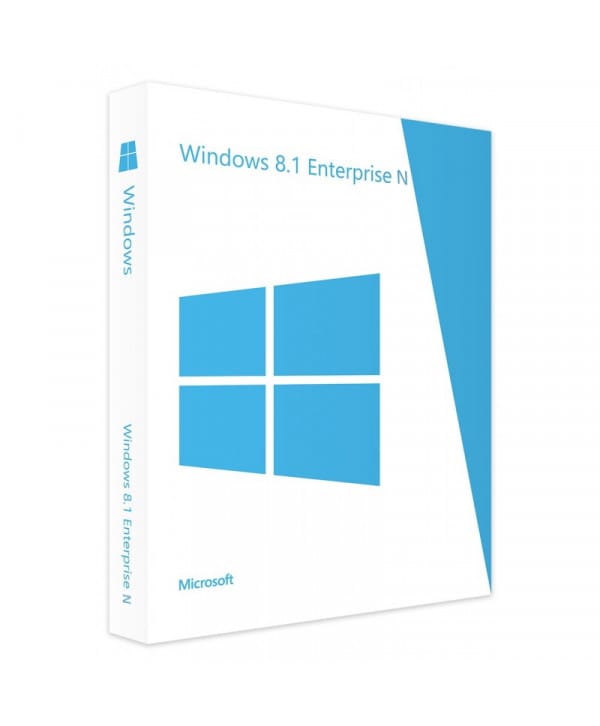
Windows 8.1 Enterprise
Perpetual license - PC installation - Official Microsoft online activation
Official Microsoft license verified on Microsoft servers.





Why choose Windows 8.1 Enterprise?
- Maximum security with Credential Guard and Device Guard
- Full control via AppLocker and advanced group policies
- DirectAccess for seamless network access without a VPN
- Centralized large-scale deployment and management
- Perpetual license, a lasting investment
- Guaranteed Microsoft support and security updates
Windows 8.1 Enterprise
Windows 8.1 Enterprise represents the highest level of security and control in the Windows 8.1 lineup. Credential Guard, Device Guard, AppLocker, DirectAccess — all the advanced protection technologies are brought together for organizations that won’t compromise on security.
Built for large-scale deployments, Windows 8.1 Enterprise offers all the centralized management tools IT departments need. Perpetual license and activation via Microsoft servers.
Enterprises
Deploy a secure system across your entire organization with centralized management and advanced protections.
IT Departments & Administrators
Manage your IT estate efficiently with group policies, automated deployment and Azure AD.
Industrial sector
Equip your dedicated terminals with a stable, locked-down system maintained over the long term.
Healthcare & critical sectors
Enjoy a certified, stable environment for your sensitive workstations that demand absolute reliability.
The advantages of Windows 8.1 Enterprise
Modern UI interface
Start screen with live tiles and classic desktop in one click.
Built-in security
Windows Defender and firewall for effective baseline protection.
Fast startup
Optimized boot for startup in just a few seconds.
Cloud integration
Built-in OneDrive sync and Microsoft account.
Technical specifications
System requirements
| Processor | 1 GHz or faster with PAE, NX and SSE2 |
| RAM | 1 GB (32-bit) or 2 GB (64-bit) |
| Disk space | 16 GB (32-bit) or 20 GB (64-bit) |
| Display | 1024 x 768 pixels |
| Graphics card | DirectX 9 compatible with WDDM 1.0 driver |
| Internet | Connection required for activation |
License information
| License type | Perpetual (lifetime) |
| Users | 1 user |
| Devices | 1 PC |
| Reinstalls | Unlimited on the same device |
| Language | Multilingual (English included) |
| Activation | Online via Microsoft servers |
| Support | Technical assistance 7 days a week |
| Updates | Security updates included |
Windows 8.1 Enterprise features
Enhanced security
Device Guard, Credential Guard and Windows Defender ATP for enterprise-grade protection.
BitLocker & AppLocker
Full disk encryption and control over which applications are allowed to run.
DirectAccess
Seamless access to the corporate network without a VPN, for employees on the move.
Centralized deployment
Large-scale deployment and management tools for sizable IT estates.
Recenzie zákazníkov
Excellent support from Euro Shop Key. Problem solved quickly with efficient help. Well done!
Got the product from Euro Shop Key with clear activation instructions. 100% legit. Recommend!
Excellent! Good customer service from Euro Shop Key. Product as described and working. Recommend.
Zanechajte svoju recenziu
Podeľte sa o svoju skúsenosť s týmto produktom a pomôžte ostatným zákazníkom.
Installation guide
Activating your Windows 8.1 Enterprise license only takes a few minutes. Here are the steps to follow, one by one.
Download Windows 8.1 Enterprise
Download the ISO image from the Microsoft website or use the link provided in your confirmation email.
Create installation media
Burn the ISO to a DVD or create a bootable USB drive with a tool like Rufus.
Install the system
Boot your PC from the installation media and follow the wizard. Enter your product key when prompted.
Verify activation
Go to PC Settings > Activation to check that your license is properly active.
Need help?
Ako to funguje
Získajte a aktivujte svoju licenciu Microsoft v 3 jednoduchých krokoch
Vyberte si
Vyberte si svoju Windows 8.1 Enterprise licenciu alebo balík a pridajte ho do košíka.
Zaplatiť
Zaplaťte bezpečne kartou, Apple Pay, Google Pay alebo Bancontact.





Aktivujte
Kľúč dostanete okamžite e-mailom spolu s podrobným návodom na inštaláciu. V prípade potreby vám naša podpora odpovie e-mailom 24/7.
Často kladené otázky
How do I activate my Windows 8.1 Enterprise license?
After your purchase, you receive your key by email within a few minutes. Go to Settings > System > Activation, click "Change product key" and enter your key. Activation is done online via Microsoft servers.
What is the difference between Windows 8.1 Enterprise and the Pro version?
Is the Windows 8.1 Enterprise license perpetual?
Can I reinstall Windows 8.1 Enterprise after formatting?
What happens if I have an issue during activation?
Mohlo by sa vám páčiť
Office 2016 Home and Student for Mac
Official Office 2016 Home and Student for Mac license. Instant delivery by email. Activation on Microsoft servers. Lifetime warranty. Support included.
Windows 11 IoT Enterprise
Official Windows 11 IoT Enterprise license. Instant delivery by email. Activation on Microsoft servers. Lifetime warranty. Support included.
Windows 11 Education
Official Windows 11 Education license. Instant delivery by email. Activation on Microsoft servers. Lifetime warranty. Support included.
Windows 8 Professional
Official Windows 8 Professional license. Instant delivery by email. Activation on Microsoft servers. Lifetime warranty. Support included.