 Európska spoločnosť so sídlom vo Francúzsku
Vynikajúce4.9/5Trustpilot1,800+ reviews Doživotná záruka výmeny
E-mailová podpora 24/7
Európska spoločnosť so sídlom vo Francúzsku
Vynikajúce4.9/5Trustpilot1,800+ reviews Doživotná záruka výmeny
E-mailová podpora 24/7
Európska spoločnosť so sídlom vo Francúzsku
Vynikajúce4.9/5Trustpilot1,800+ reviews Doživotná záruka výmeny
E-mailová podpora 24/7
Európska spoločnosť so sídlom vo Francúzsku
Vynikajúce4.9/5Trustpilot1,800+ reviews Doživotná záruka výmeny
E-mailová podpora 24/7


Visio 2021 with a lifetime license from 29,99 €: Standard or Professional, plus the 2019 editions, with no subscription and your key delivered by email within minutes.
Originálne licencie Microsoft doručené e-mailom v priebehu niekoľkých minút
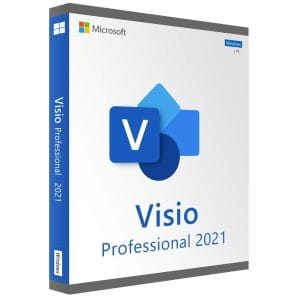
Visio 2021 Professional - Genuine Microsoft license. Instant delivery by email.
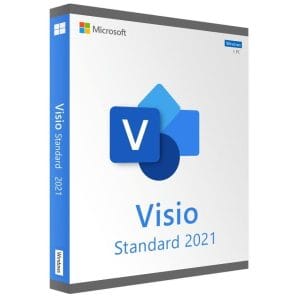
Genuine Visio 2021 Standard license. Instant delivery by email. Activation on Microsoft servers. Lifetime warranty. Support included.
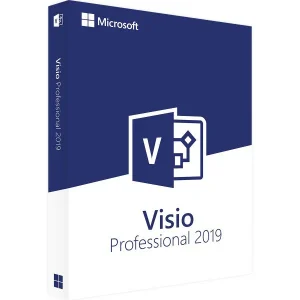
Genuine Visio 2019 Professional license. Instant delivery by email. Activation on Microsoft servers. Lifetime warranty. Support included.
Genuine Visio 2019 Standard license. Instant delivery by email. Activation on Microsoft servers. Lifetime warranty. Support included.
Vaša licencia aktivovaná v 3 krokoch
Z našich originálnych ponúk si vyberte licenciu, ktorá zodpovedá vašim potrebám.
Pozrieť ponukyKarta, Apple Pay, Google Pay alebo Bancontact, platba šifrovaná SSL s overením 3D Secure.
Bezpečná platbaKľúč vám príde e-mailom v priebehu niekoľkých minút spolu s postupom aktivácie krok za krokom.
Zistiť viacA Visio 2021 key gives you a perpetual license for the desktop version of Microsoft Visio on a Windows PC: you pay once and keep the software, with no subscription. Visio 2021 comes in two editions. Standard covers everyday diagrams: org charts, flowcharts, office layouts, timelines, calendars and basic network diagrams. Professional includes all of that and adds the formal notations (BPMN 2.0, UML), engineering and database diagrams, rule-based validation and data linking, which colors and labels shapes from an Excel workbook, a SQL Server database or a SharePoint list.
The rule of thumb is simple: if you draw to explain, Standard is enough. If your diagrams must follow a notation, be audited or reflect changing data, choose Professional.
| Edition | Templates and key features | Typical user | Price for one PC |
|---|---|---|---|
| Visio 2021 Standard | Org charts, flowcharts, office layouts, timelines, calendars, brainstorming, basic network diagrams | Documenting an organization or a process day to day | 34,99 € |
| Visio 2021 Professional | Everything in Standard, plus BPMN 2.0, UML, database models, detailed network and rack diagrams, electrical and engineering diagrams, data linking, data graphics, validation | Business analysts, IT departments, quality teams, engineering offices | 29,99 € |
Since Professional contains everything in Standard, compare the two prices above: when Professional costs about the same or less, it is the obvious pick. Our Visio Standard vs Professional comparison details every difference.
Visio 2021 belongs to the Office 2021 generation and shares its refreshed interface. A diagram pasted into Word or PowerPoint keeps its vector quality and stays editable with a double-click.
For everything else, a Visio 2016 or 2019 user will feel at home: the ribbon, the template logic and the .vsdx file format are unchanged. The main reasons to choose Visio 2021 are its more recent code base and its consistency with Office 2021, whose interface it shares. If you are weighing prices, compare with the Visio 2019 editions shown above: they use the same file format.
Visio 2021 is a Windows-only application, with no desktop equivalent on macOS. The requirements are modest:
If your PC still runs an older system, a Windows 11 key solves the problem first. The native format is .vsdx, or .vsdm for drawings with macros; older .vsd files open and can be saved in the current format, and exports to PDF, PNG or SVG let you share a diagram with colleagues who don’t have Visio. Visio installs next to Office: keep the same 32-bit or 64-bit architecture on the whole machine.
A perpetual license comes with a fixed support calendar. Microsoft stopped publishing security fixes for Visio 2021 on 13 October 2026. Your license stays valid, and Visio keeps opening, editing and saving your diagrams; it simply receives no more updates. For a diagramming tool used on a workstation, this is rarely a problem. If your organization’s IT policy requires supported software on every PC, check it before buying.
A Visio 2021 license is bought once and stays valid with no expiry date: no monthly payment and no features switched off after a year. Our Visio licenses are pre-owned perpetual licenses. In its UsedSoft ruling (case C-128/11), the Court of Justice of the European Union held that the publisher’s distribution right is exhausted once a perpetual license has been sold in the EU, so the license can be resold, provided the first owner stops using it.
To compare Visio 2021 with the 2016 and 2019 versions, see our Microsoft Visio buying guide and the complete Visio 2021 guide.
Všetko, čo potrebujete vedieť pred objednávkou
No. Visio 2021 is a Windows-only desktop application; Microsoft has never released a macOS version. Mac users can run Windows in a virtual machine, for example with Parallels Desktop, and install Visio there, or work on a remote Windows PC. Viewing .vsdx files in a browser is possible, but editing them requires Visio on Windows or a Microsoft subscription.
Yes, without conversion: Visio 2016, 2019 and 2021 share the same .vsdx format, and macro-enabled .vsdm drawings are supported too. Older binary .vsd files, from Visio 2010 and earlier, also open and can be saved in the current format. In the other direction, Save As still offers the .vsd format for contacts who use a very old version.
No. Visio 2021 is a standalone application: it installs and activates on its own, even on a PC with no office suite. If Office is installed, Visio sits alongside it as long as both use the same 32-bit or 64-bit architecture. If the installer reports a conflict with another Office version, our support explains how to proceed.
There is no in-place upgrade between the two perpetual editions. You buy a Visio 2021 Professional license, uninstall Standard and install Professional with the new key; your .vsdx files are kept. A diagram created in Professional opens in Standard, but its Professional-only features, such as data links and validation rules, cannot be used there.
No. The end of Microsoft support on 13 October 2026 means no more security updates, not the end of your license. Visio 2021 keeps running and your license stays valid with no time limit. If a key ever turns out to be faulty, we replace it, for life, and our email support answers within 2 hours on average, 7 days a week.
Our team answers by email 24/7, within 2 hours on average.
Čas odpovede: within 2 hours on average
