 Eurooppalainen yritys, kotipaikka Ranska
Erinomainen4.9/5Trustpilot1,800+ reviews Elinikäinen vaihtotakuu
Sähköpostituki 24/7
Eurooppalainen yritys, kotipaikka Ranska
Erinomainen4.9/5Trustpilot1,800+ reviews Elinikäinen vaihtotakuu
Sähköpostituki 24/7
Eurooppalainen yritys, kotipaikka Ranska
Erinomainen4.9/5Trustpilot1,800+ reviews Elinikäinen vaihtotakuu
Sähköpostituki 24/7
Eurooppalainen yritys, kotipaikka Ranska
Erinomainen4.9/5Trustpilot1,800+ reviews Elinikäinen vaihtotakuu
Sähköpostituki 24/7


CMD, PowerShell, Microsoft account: every way to find your product key, and a genuine license from 9,90 € if yours is gone for good.
Aidot Microsoft-lisenssit, toimitus sähköpostitse muutamassa minuutissa
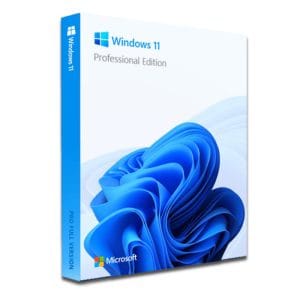
Windows 11 Pro – The Ultimate Professional Operating System Windows 11 Pro is the latest version of Microsoft’s operating system,...
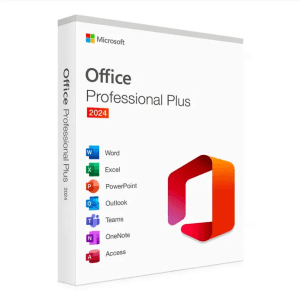
Microsoft Office 2024 Pro Plus Microsoft Office 2024 Pro Plus is the latest version of the world’s most popular productivity...
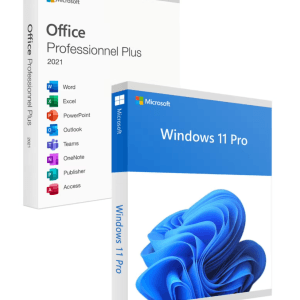
Official Windows 11 Pro + Office 2021 Pro Plus bundle license. Instant delivery by email. Activation on Microsoft servers. Lifetime...
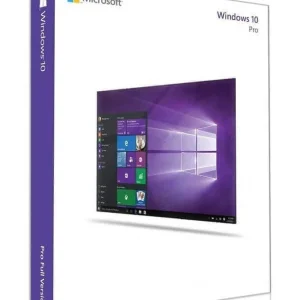
Official Windows 10 Professional license. Instant delivery by email. Activation on Microsoft servers. Lifetime warranty. Support included.
Lisenssi käyttöön kolmessa vaiheessa
Kortti, Apple Pay, Google Pay tai Bancontact, SSL-salattu maksu ja 3D Secure -varmennus.
Turvallinen maksuAvain saapuu sähköpostitse muutamassa minuutissa vaiheittaisten aktivointiohjeiden kanssa.
Lue lisääTo find your Windows product key, start by knowing what you are looking for: a 25-character code in the format XXXXX-XXXXX-XXXXX-XXXXX-XXXXX that proves your right to use the system. Before assuming it is lost, check these three places: it is almost always in one of them.
Here is how to follow each lead, with the exact commands. There is no need to install a third-party tool: everything uses tools already built into Windows.
These commands are built into Windows 10 and Windows 11. They change nothing: they only read the license information already stored on the machine.
Type “cmd” in the Start menu, choose “Run as administrator”, then enter:
wmic path softwarelicensingservice get OA3xOriginalProductKey
The key displayed is the one the manufacturer stored in the UEFI. If the line stays empty, nothing is broken: your PC has no preinstalled key, or its activation relies on a digital license.
On the latest versions of Windows 11, wmic may be missing. Right-click the Start button, open “Terminal (Admin)” (“Windows PowerShell (Admin)” on Windows 10) and run:
(Get-CimInstance -ClassName SoftwareLicensingService).OA3xOriginalProductKey
The UEFI key is not necessarily the one activating your system, especially if you installed a license bought separately. The command slmgr /dli shows the edition, the activation status and the last five characters of the key in use: enough to match it with a key kept in an email.
| Command | What it shows | Its limit |
|---|---|---|
wmic path softwarelicensingservice get OA3xOriginalProductKey | The key stored in the UEFI by the manufacturer | Empty if no key is preinstalled; wmic is missing from the latest versions of Windows 11 |
(Get-CimInstance -ClassName SoftwareLicensingService).OA3xOriginalProductKey | The same UEFI key, through PowerShell | Empty in the same cases |
slmgr /dli | Edition, activation status and last five characters of the active key | Never shows the full key |
Many recent PCs simply have no key to find: their activation relies on a digital license, a right recorded by Microsoft and tied to the hardware. To see which case applies to you, open Settings > System > Activation.
| Criterion | Product key | Digital license |
|---|---|---|
| Form | 25-character code to type in | No code: the right is recorded online |
| Where to find it | Purchase email, UEFI (wmic), product box | Settings > System > Activation, Microsoft account |
| After a reinstall | Enter the key during or after installation | Automatic reactivation, especially with a linked Microsoft account |
| Typical case | Windows 11 key bought online | Laptop sold with Windows preinstalled |
The two mechanisms meet: a Windows 11 product key entered once becomes a digital license after the first activation. All the more reason to keep the email that contains the original key. The step-by-step procedure is in our Windows activation guide.
Open Settings > System > Activation. If the page says “Windows is activated with a digital license linked to your Microsoft account”, the link is already in place. Otherwise, sign in to Windows with your account (Settings > Accounts > Your info): the license is attached to it and will follow you through reinstalls on the same PC.
On account.microsoft.com, the “Devices” section lists the computers linked to your account. Before formatting or selling a PC, it is the right place to check that the machine is listed and to remove the PCs you no longer use.
Replacing the motherboard can switch Windows to “not activated”. Go back to Settings > System > Activation, run the activation troubleshooter, choose “I changed hardware on this device recently”, then select your PC in the list: the digital license linked to the account applies again without typing any key. Our guide to Windows not activated after a motherboard change covers error 0xC004F211.
Recent versions of Office never keep the full key on the computer in readable form. To find an Office 2021 or Office 2024 key, you have three leads.
This is your first lead. Search your inbox for “Office” or for the seller’s name, without forgetting the spam folder. At Euro Shop Key, the key for Microsoft Office 2024 Pro Plus is in the delivery email: keep it safe.
If the key was linked to an account during installation, it remains visible under “Services & subscriptions” on account.microsoft.com, with the option to download Office again.
To identify the key that activates your Office, this command shows its last five characters:
cscript "C:\Program Files\Microsoft Office\Office16\OSPP.VBS" /dstatus
Replace “Program Files” with “Program Files (x86)” if you run 32-bit Office on 64-bit Windows, then compare the result with the key in your email. Activation itself is covered in our Office activation guide.
Before concluding that the key is lost, think of physical media. Versions bought in a box contain a card with the key, sometimes under a scratch-off area. Computers from the Windows 7 generation and earlier often carry a “Certificate of Authenticity” sticker: on the side of the case for a tower, under the chassis or in the battery compartment for a laptop. If you find a label that is still legible, take a photo of it right away: the print fades over the years.
Dead PC, deleted mailbox, unreadable label: when every lead is exhausted, there is no point spending the day on it. A new license costs little:
The key arrives by email within minutes, activates on Microsoft’s official servers and stays valid for life, like any perpetual one-time-purchase license. Payment is secure, by card, Apple Pay, Google Pay or Bancontact.
Above all, a key bought here is never really lost: it stays in your delivery email, and our support team sends that email again on request if you misplace it.
Our team answers by email 24/7, within 2 hours on average.
Vastausaika: within 2 hours on average
