 Europska tvrtka sa sjedištem u Francuskoj
Izvrsno4.9/5Trustpilot1,800+ reviews Doživotno jamstvo zamjene
Podrška e-poštom 24/7
Europska tvrtka sa sjedištem u Francuskoj
Izvrsno4.9/5Trustpilot1,800+ reviews Doživotno jamstvo zamjene
Podrška e-poštom 24/7
Europska tvrtka sa sjedištem u Francuskoj
Izvrsno4.9/5Trustpilot1,800+ reviews Doživotno jamstvo zamjene
Podrška e-poštom 24/7
Europska tvrtka sa sjedištem u Francuskoj
Izvrsno4.9/5Trustpilot1,800+ reviews Doživotno jamstvo zamjene
Podrška e-poštom 24/7

Microsoft Access comes with Office Professional Plus: lifetime license from 12,90 €, key delivered by email within minutes, VAT invoice included.
Autentične Microsoft licence, isporučene e-poštom u nekoliko minuta
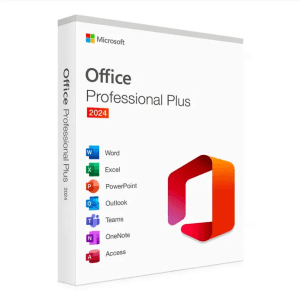
Microsoft Office 2024 Pro Plus Microsoft Office 2024 Pro Plus is the latest version of the world’s most popular productivity...
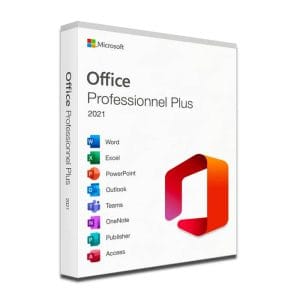
Microsoft Office 2021 Pro Plus Microsoft Office 2021 Pro Plus is the latest version of the world’s most popular office...
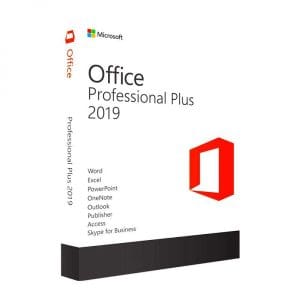
Genuine Office 2019 Professional Plus license. Instant delivery by email. Activation on Microsoft servers. Lifetime warranty. Support included.
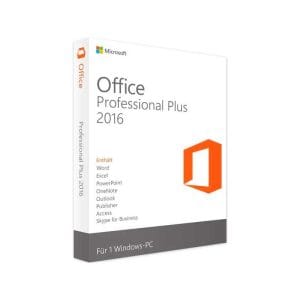
Office 2016 Professional Plus - Genuine Microsoft license. Instant delivery by email.
Vaša licenca aktivirana u 3 koraka
Među našim autentičnim ponudama pronađite licencu koja odgovara vašim potrebama.
Pogledajte ponudeKartica, Apple Pay, Google Pay ili Bancontact, plaćanje šifrirano SSL-om uz 3D Secure provjeru.
Sigurno plaćanjeKljuč stiže e-poštom u nekoliko minuta, s uputama za aktivaciju korak po korak.
Saznajte višeTo buy Microsoft Access, you need the right Office edition: in our shop, Access is not sold on its own and it is not part of the home editions. The database app comes with the Professional and Professional Plus editions of Office; the Office Professional Plus suites presented on this page include it as a one-time purchase, together with Word, Excel, PowerPoint and Outlook.
Many buyers start by looking for an Access key on its own. Microsoft distributes the database app within its professional editions, and on the second-hand market Access circulates inside complete Office Professional Plus suites.
This works in your favor. An Office Professional Plus license costs here between 12,90 € and 24,90 € depending on the version, and Access comes with Word, Excel, PowerPoint and Outlook. The key is sent by email, usually within minutes, activation takes place on Microsoft’s official servers, and the license is perpetual: you pay once and keep it.
Microsoft Access is the database management system of the Office suite. Where a spreadsheet lines up cells, Access organizes your information into related tables: customers, orders, products, members, files and so on. Its strength is to bring real database logic into an office tool: everything is built with the mouse, without developer skills, and the result looks like a small custom business application.
Macros and the VBA language then automate complete processes without leaving the app. Another practical advantage: the whole database fits in a single .accdb file, easy to copy, back up or send.
Access is aimed at organizations that have outgrown the spreadsheet without having the budget for business software or a dedicated server:
Access also keeps internal applications built years ago alive: a recent Professional Plus license is enough to reopen these databases, maintain them and make them evolve.
The app includes a splitting tool that separates the database into two files: a back end holding the tables, placed in a shared network folder, and a front end with forms, queries and reports, copied to each computer. Several colleagues can then view and enter data at the same time, each with their own interface. Two limits are worth knowing: an Access file is capped at 2 GB of data, and comfort decreases as the number of simultaneous users grows. In practice, a small business or an association rarely comes close to these limits.
The classic buying mistake is to choose a Home and Student suite, then discover that Access is not part of it. Here is the situation, with our live prices:
| Office edition | Access included | License | Price |
|---|---|---|---|
| Office 2024 Professional Plus | Yes, Access 2024 | Perpetual (lifetime) | 24,90 € |
| Office 2021 Professional Plus | Yes, Access 2021 | Perpetual (lifetime) | 19,90 € |
| Office 2019 Professional Plus | Yes, Access 2019 | Perpetual (lifetime) | 12,90 € |
| Office 2016 Professional Plus | Yes, Access 2016 | Perpetual (lifetime) | 16,99 € |
| Office Home and Student (all versions) | No | – | – |
| Office Home and Business | No | – | – |
Office 2016 Professional and Office 2021 Professional, without Plus, also include Access. The price of Access is therefore that of the edition that contains it, and the complete office suite comes with it every time. Our Microsoft Office page compares every version, including those without Access.
Both apps handle data, but they do not play the same role, and since they come together in Professional Plus, you will not have to choose.
| Criterion | Access | Excel |
|---|---|---|
| Nature | Relational database | Spreadsheet |
| Organization | Related tables, no duplicates | Independent worksheets |
| Data entry | Controlled forms | Free-form cells |
| Data size | Up to 2 GB per file | Comfortable on reasonably sized tables |
| Strength | Reliable, structured data | Calculations, analysis, charts |
The rule is simple: if you keep copying the same information from one tab to another, if several people type into the same workbook or if duplicates pile up, the data part belongs in Access. Analysis and charts remain Excel’s territory, as explained on our page on how to buy Microsoft Excel.
Access imports Excel workbooks directly: the wizard turns each sheet into a table, detects column headers and suggests a type for each field. The usual approach takes four steps:
The database engine changes little from one version to the next: databases created in Access 2016 open in Access 2024. The choice therefore comes down to price, how modern the interface is and how long the version is supported.
Microsoft ended security updates for Office 2016 and 2019 in October 2025 and for Office 2021 on 13 October 2026; these versions keep working. The file format is the same from one version to the next, so a database created today in Access 2019 opens as it is in Access 2024 if you upgrade later. For a step-by-step tour of tables, queries and forms, see our complete guide to Microsoft Access.
Sve što trebate znati prije narudžbe
Not in our shop: Access comes inside complete Office suites, the Professional and Professional Plus editions. The good news is that the whole suite starts at 12,90 €, with Word, Excel, PowerPoint and Outlook included, far less than a standalone database license bought new.
Excel is a spreadsheet: it calculates, analyzes and draws charts. Access is a database: it stores related information, controls data entry through forms and produces reports. As soon as a file is shared, large or full of duplicates, Access takes over from the spreadsheet, while Excel remains ideal for analyzing the data.
No. The Home and Student and Home and Business editions do not include Access, whatever the version. Among the one-time purchase licenses in our catalog, you need a Professional or Professional Plus edition, such as Office 2021 Professional Plus at 19,90 € or Office 2024 Professional Plus at 24,90 €.
Yes. The Office Professional Plus editions sold here are perpetual licenses: one payment, no expiry date, no subscription. Activation takes place on Microsoft's official servers, and the suite, Access included, stays usable for life on your PC. Only Microsoft's security updates have an end date, which depends on the version you choose.
After a secure payment by card, Apple Pay, Google Pay or Bancontact, your key arrives by email, usually within minutes, with the official download link and a VAT invoice. You install Office, enter the key, and Access is ready to use with the rest of the suite. If a key ever proves faulty, we replace it for the lifetime of the license.
No. Microsoft has never released a macOS version of Access: the app runs only on Windows, and Office suites for Mac do not include it. On a Mac, you need Windows, for example in a virtual machine, with a Professional Plus license activated in that Windows installation.
Our team answers by email 24/7, within 2 hours on average.
Vrijeme odgovora: within 2 hours on average
Vaša košarica

