 Euroopa ettevõte asukohaga Prantsusmaal
Suurepärane4.9/5Trustpilot1,800+ reviews Eluaegne asendusgarantii
E-posti tugi 24/7
Euroopa ettevõte asukohaga Prantsusmaal
Suurepärane4.9/5Trustpilot1,800+ reviews Eluaegne asendusgarantii
E-posti tugi 24/7
Euroopa ettevõte asukohaga Prantsusmaal
Suurepärane4.9/5Trustpilot1,800+ reviews Eluaegne asendusgarantii
E-posti tugi 24/7
Euroopa ettevõte asukohaga Prantsusmaal
Suurepärane4.9/5Trustpilot1,800+ reviews Eluaegne asendusgarantii
E-posti tugi 24/7


Compare Project Standard and Professional before you buy: lifetime licenses from 29,99 €, with no subscription and your key delivered by email within minutes.
Ehtsad Microsofti litsentsid, kohaletoimetamine e-postiga mõne minutiga
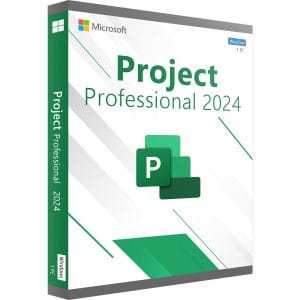
Project 2024 Professional - Official Microsoft license. Instant delivery by email.
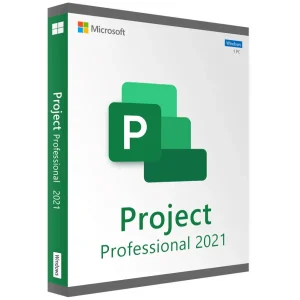
Project 2021 Professional - Official Microsoft license. Instant delivery by email.
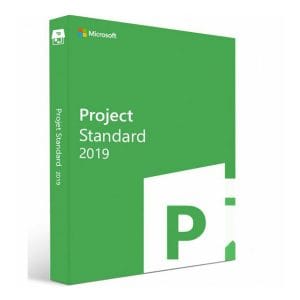
Official Project 2019 Standard license. Instant delivery by email. Activation on Microsoft servers. Lifetime warranty. Support included.
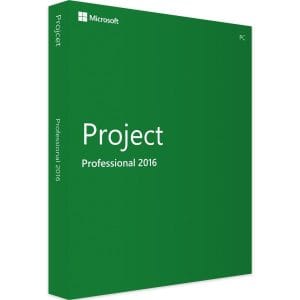
Official Project 2016 Professional license. Instant delivery by email. Activation on Microsoft servers. Lifetime warranty. Support included.
Teie litsents aktiveeritud 3 sammuga
Kaart, Apple Pay, Google Pay või Bancontact, SSL-krüpteeritud makse 3D Secure kontrolliga.
Turvaline makseVõti saabub e-postiga mõne minutiga koos samm-sammuliste aktiveerimisjuhistega.
Lugege lähemaltBefore comparing Project Standard vs Professional, it helps to recall what both editions share. Microsoft Project is a scheduling tool: you enter tasks, durations, dependencies and resources, and Project calculates the whole calendar, the critical path and the end date. Move one task and every dependent task follows, which no spreadsheet does on its own.
Both editions include the Gantt chart, milestones, work calendars, resource assignments for people, equipment and costs, baselines to compare planned and actual progress, the Timeline view and built-in visual reports. That engine is identical in Standard and Professional; the difference lies elsewhere.
| Feature | Standard | Professional |
|---|---|---|
| Gantt chart, critical path, milestones, baselines | Yes | Yes |
| Resources, costs, work calendars, reports | Yes | Yes |
| Timeline view, export to PDF and Excel | Yes | Yes |
| Team Planner: drag-and-drop view of who works on what | No | Yes |
| Inactive tasks to test what-if scenarios | No | Yes |
| Synchronization with SharePoint task lists | No | Yes |
| Connection to Project Server: enterprise resources, timesheets, portfolio | No | Yes |
A standalone edition, installed on one PC and used by one person. It contains everything needed to build, track and present a schedule. It is the rational choice for an independent project manager, a design office, a contractor or a small business that runs its projects locally.
Everything in Standard, plus the team dimension. Team Planner shows each person’s workload on a single screen and lets you reassign tasks by drag and drop; inactive tasks let you test scenarios without deleting anything; SharePoint synchronization shares a task list with the team; and the connection to Project Server centralizes resources and timesheets across projects. If you plan alone, these features stay unused.
Since Professional contains everything in Standard, also compare the prices of the two editions in the version you want: when the difference is small, Professional avoids a second purchase later, because there is no in-place upgrade from Standard to Professional.
| Version | Microsoft support | Price for one PC |
|---|---|---|
| Project 2024 | Until 9 October 2029 | Professional: 32,99 € |
| Project 2021 | Ended on 13 October 2026 | Professional: 29,99 € |
| Project 2019 | Ended on 14 October 2025 | Standard: 29,99 € |
| Project 2016 | Ended on 14 October 2025 | Professional: 29,99 € |
The scheduling engine has barely changed since 2016. The 2019 version added task linking from a drop-down menu, the Task Summary Name field and labels on timeline bars; 2021 and 2024 bring the matching Office interface. The deciding factor is Microsoft’s support calendar: Project 2024 Professional receives security fixes until 2029, while the earlier versions keep working without them. For a professional PC installed today, Project 2024 is the long-term choice, presented on our Project 2024 key page. Project 2021 and Project 2019 Standard remain relevant for occasional or offline use, or to match a team already equipped.
A perpetual Project license is bought once and never renewed, while Microsoft’s Project subscriptions are priced per user and per month. Standard and Professional both work offline once activated, with no Project Server and no subscription; Professional can connect to Project Server later if your organization sets one up.
Our Project licenses are pre-owned perpetual licenses. In its UsedSoft ruling (case C-128/11), the Court of Justice of the European Union held that a perpetual software license sold in the EU can be resold, provided the first owner stops using it. You receive a genuine Microsoft key, delivered by email within minutes with a VAT invoice, the lifetime replacement of a faulty key, and email support 7 days a week with a reply within 2 hours on average. To compare every Project license, see our guide to buying Microsoft Project and our complete Microsoft Project guide.
Kõik, mida peate enne tellimist teadma
No. Project is a separate product: it has never been part of the Office suites, Home or Professional Plus, nor of the Microsoft 365 plans for home users. You can own Word, Excel and Outlook without having Project. It installs and activates on its own, with its own key, and sits alongside your existing office suite on the same PC.
No, not for normal use. A perpetual Project Standard or Professional license installs on your PC and works on its own, including offline once activated, with no subscription. Project Server only becomes useful to centralize a portfolio of projects and share an enterprise resource pool between several project managers; Professional can then connect to it.
There is no native macOS version of Microsoft Project: the software is Windows-only. Mac users install Windows in a virtual machine, for example with Parallels Desktop, then install and activate their Project license there, or they work on a remote Windows PC. Microsoft's web planning tools require a subscription.
Microsoft offers no free .mpp viewer. To share a plan, export it from Project to PDF, copy the timeline as an image into PowerPoint or an email, or save the data to Excel. Your colleagues can then read the Gantt chart, milestones and workloads; to change the file itself, they need a Project license on their PC.
Not in place. Moving to Professional means buying a Professional license, uninstalling Standard and installing Professional with the new key. Your .mpp files are kept and open directly. This is why, when the price difference between the two editions is small, choosing Professional from the start avoids a second purchase.
Our team answers by email 24/7, within 2 hours on average.
Vastamise aeg: within 2 hours on average
